Searching for the Xbox reputation system usually means one of two things: you saw the labels Good Player, Needs Work, or Avoid Me somewhere, or you want to know how Xbox deals with players who break the rules. This guide covers both. It explains what the reputation labels were, and it explains the enforcement system that Microsoft documents publicly today.
Quick Answer
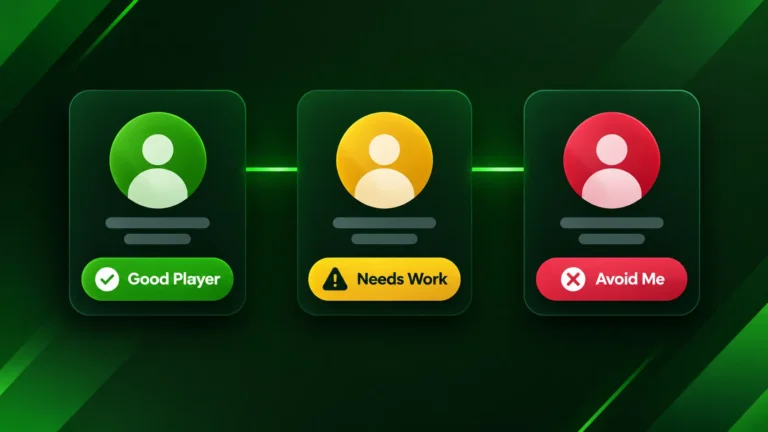
The Xbox reputation system was introduced with Xbox One and sorted players into three labels: Good Player, Needs Work, and Avoid Me, based on feedback from other players. We could not find current Microsoft documentation showing those labels in use in 2026. The system Microsoft documents today is the Enforcement Strike System, introduced in August 2023, where reports reviewed and confirmed by the Xbox Safety Team lead to strikes and suspensions. Strikes expire after six months.
Note: Reputation, strikes, and enforcement have nothing to do with your Gamerscore or with the Gold or Silver account tier badge that profile lookup tools, including ours, can show. Gamerscore comes from achievements, and the account tier is reported by Xbox, so neither is a measure of conduct.
What the Xbox Reputation System Was
The reputation system was designed to keep multiplayer lobbies pleasant. Instead of treating every player the same, Xbox used feedback from other players, such as reports, to show how an account was seen in the community. The idea was simple: players who were reported often could end up grouped with others who behaved the same way, while the large majority of players who simply played normally were left alone.
We are describing it as a past system because we could not find recent official Microsoft pages that explain the three labels as a current feature. If you see older guides that describe exact report counts or time windows, treat those figures with caution, since Microsoft has not published them in the sources we reviewed.
Good Player, Needs Work and Avoid Me
These were the three labels people usually mean when they search for the reputation system:
- Good Player: the standard label for accounts that had not drawn a pattern of complaints from other players.
- Needs Work: a warning level, shown when an account had received more negative feedback than usual.
- Avoid Me: the lowest label, for accounts with a larger pattern of negative feedback.
How Xbox Enforcement Works Today: The Strike System
In August 2023, Xbox introduced the Enforcement Strike System, which is the way Microsoft describes enforcement for player conduct. According to Xbox’s announcement on Xbox Wire, strikes are attached to every enforcement and vary with how serious the behavior was. Only reports that the Xbox Safety Team has reviewed and found to be accurate result in an enforcement.
As an account collects strikes, the suspension from online features gets longer:
| Strikes | Result |
|---|---|
| 2 strikes | 1-day suspension |
| 4 strikes | 7-day suspension |
| 6 strikes | 21-day suspension |
| 8 strikes | Suspension of social features for one year |
Suspensions apply to features like messaging, party chat and multiplayer. For the most serious violations, including illegal activity, Xbox can permanently suspend an account. Strikes stay on an account for six months, and players can appeal an enforcement.
How to Check Your Enforcement History
- Open the Xbox Support website and sign in with the Microsoft account tied to your gamertag.
- Look for your account’s enforcement history. It lists any strikes, suspensions, and when strikes expire.
- If you disagree with an enforcement, use the appeal option shown there.
Menu names on the Xbox Support site change from time to time, so search the site for “enforcement history” if you do not see it right away.
How to Avoid Strikes
- Follow the Community Standards: harassment, hate speech, cheating and similar behavior are what lead to enforcement.
- Use the privacy and mute tools: block or mute players who bother you instead of arguing in voice chat.
- Report problems properly: only accurate reports reviewed by the Xbox Safety Team lead to enforcement, so report real violations rather than ordinary disagreements.
- Watch voice and message conduct: chat is where most conduct problems start, so keep it civil.
Frequently Asked Questions
Want to learn more about a player before you team up? Look up their public Gamerscore and status first, or track how a profile changes over time.
Check any Xbox profile’s Gamerscore and status →
Track a profile’s status changes over time →