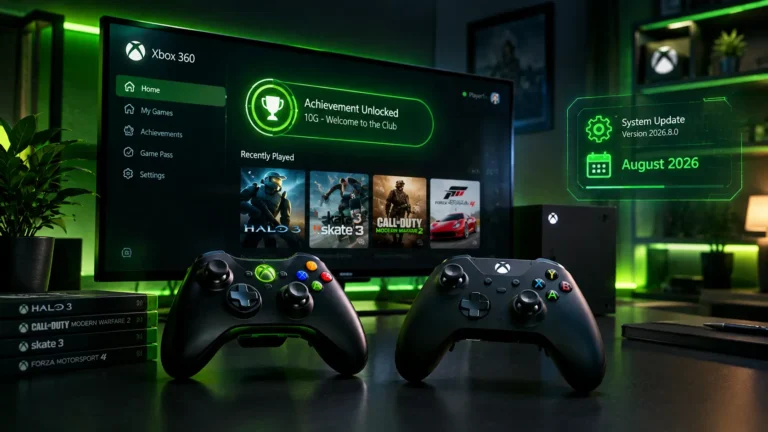
Xbox 360 achievements in Game Hubs is one of the more useful quality-of-life changes Microsoft has shipped for backward-compatible games in a while, and it’s easy to miss if you haven’t opened an old game card lately. Instead of digging through your full achievement list to check progress on an old favorite, you can now open the game card and see it right there, the same way modern Xbox games already work. Here’s exactly what changed, where to find it, and what shipped alongside it.
Quick Answer
Since the August 2026 Xbox console update, opening the game card for any installed Xbox 360 game shows a full Game Hub with achievement progress, captures, and other details, instead of the limited card Xbox 360 titles had before. The feature was first previewed to Xbox Insiders on June 24, 2026, then released to everyone in August.
What’s New: Xbox 360 Achievements in Game Hubs
Before this update, opening the game card for an Xbox 360 title on a modern Xbox console gave you a stripped-down view compared to native Xbox games. According to Xbox Wire’s announcement, that gap is now closed for achievement tracking specifically.
| Before | Now |
|---|---|
| Limited game card for Xbox 360 titles | Full Game Hub matching modern Xbox games |
| Achievement progress buried in your full list | Visible directly on the game card |
| No quick access to captures from the card | Captures shown alongside achievement progress |
Note: This changes how you view achievement progress you already have. It doesn’t retroactively unlock missed achievements or fix separate account sync problems.
How to View Xbox 360 Achievements in Game Hubs
Viewing Xbox 360 achievements in Game Hubs takes the same steps as opening any other game card on your console:
- Make sure the game is installed — the full hub appears for installed Xbox 360 titles, not just games sitting in your library uninstalled.
- Highlight the game — from Home or My Games & Apps, highlight the Xbox 360 title.
- Open the game card — press the menu button or select the game to open its card.
- Check the hub — achievement progress, captures, and other details now appear directly in the card.
- Open the full achievement list — for detailed pop-ups on individual achievements, open the game’s achievement list from your profile.
What Else Shipped in the Same Update
Xbox 360 achievements in Game Hubs arrived alongside a handful of other changes in the same August 2026 console update:
- Detailed achievement popups — opening an Xbox 360 game’s achievement list from your profile now shows fuller pop-up details per achievement.
- Windows Phone achievements in your history — these now appear in your full achievement history alongside Xbox 360 and modern titles.
- Wishlist limit raised to 1,000 games — up from the previous cap, and you can now add both released and upcoming games directly from game cards.
- Cloud saves improvements — part of the same broader update to game hubs and cloud functionality.
A Related Change: Longer Gamertags
Around the same time, Microsoft also previewed an increase to the maximum gamertag length, from 12 to 15 characters for unique, available names. That change actually reached the public a month earlier, in the July 2026 console update, while Xbox 360 achievements in Game Hubs followed in August. Both were previewed together to Xbox Insiders on June 24, so it’s easy to mix up which month each one actually shipped in.
If you’re picking a new gamertag to go with your refreshed achievement hunting, check our Xbox gamertag naming rules guide for the current length limits, or run your choice through the Xbox Gamertag Availability Checker before you commit.
If You Don’t See the New Game Hub
Problem: Xbox 360 achievements in Game Hubs aren’t showing, and the card still uses the old, limited layout.
Why it happens: Your console hasn’t installed the August 2026 update yet, since rollouts reach consoles gradually.
Solution: Open Settings, select System, then Updates, and install anything pending, then reopen the game card.
Problem: The hub appears, but achievement progress looks wrong.
Why it happens: This is typically a separate account sync issue, not something the Game Hubs update controls.
Solution: Sign out and back in, or check Xbox Live status for a known service issue.
Problem: The game card shows nothing useful at all.
Why it happens: The title likely isn’t installed, only present in your library.
Solution: Install the game, then reopen its card.
Frequently Asked Questions
Now that you know how Xbox 360 achievements in Game Hubs works, look up any profile’s achievement activity with the Xbox Gamertag Finder.