- Xbox Gamertag Change Cost: Quick Answer
- Your First Gamertag Change Is Free
- The Xbox Gamertag Change Cost After That
- Why the Price Isn’t Always Exactly $9.99
- How to Pay for a Gamertag Change
- How Often You’re Allowed to Change It
- What Happens to Your Progress When You Change
- How Long the New Name Takes to Show Up Everywhere
- How to Avoid Paying Twice
- Frequently Asked Questions
Xbox Gamertag Change Cost: Quick Answer
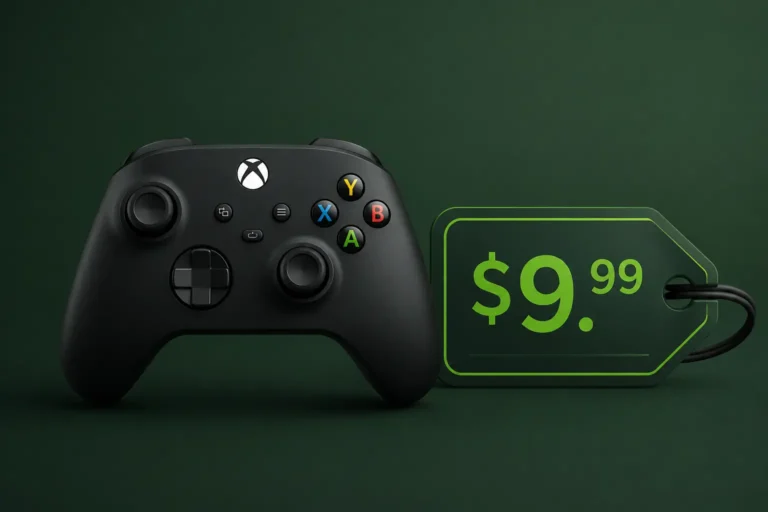
The Xbox gamertag change cost is $0 for your first rename on any account. After that, each additional change costs $9.99 USD in the United States, though the exact amount shown at checkout depends on your country and currency. You don’t need Xbox Live Gold or Game Pass to change your gamertag, and you can only make one change per month.
Your First Gamertag Change Is Free
Every Xbox account gets one gamertag change at no cost. This exists mainly because Microsoft auto-generates a gamertag (something like “SwiftFalcon482912”) when you first create an account, and that free change lets you replace it with something you actually chose. If you picked your own gamertag during setup instead of accepting the auto-generated one, you may have already used this free change without realizing it.
You can check whether you still have your free change available by starting the rename process — if it asks for payment immediately, it’s already been used.
The Xbox Gamertag Change Cost After That
Once your free change is gone, the Xbox gamertag change cost is a flat $9.99 USD in the US Xbox Store for every subsequent rename. This has been the standard price for years and hasn’t changed for the 2026 pricing cycle. The fee is the same whether you’re renaming from console, the Xbox app, or a browser at xbox.com.
There’s no bulk discount and no way to “save up” free changes — you get exactly one lifetime free change per account, and every rename after that is charged individually at that same rate.
Why the Price Isn’t Always Exactly $9.99
$9.99 USD is the baseline US price, but Xbox charges in your local currency, so the Xbox gamertag change cost you actually see at checkout can look very different. Regional pricing (converted to USD equivalents) has ranged roughly as follows:
| Region | Approximate Local Price |
|---|---|
| United States | $9.99 USD |
| Japan | ~$6.78 USD (1,080 JPY) |
| Ukraine | ~$6.69 USD (299 UAH) |
| Philippines | ~$6.50 USD (399 PHP) |
| Hungary | ~$6.35 USD (1,990 HUF) |
| Norway | ~$6.25 USD (59 NOK) |
| Egypt | ~$3.78 USD (190 EGP) |
| Brazil | ~$3.63 USD (19 BRL) |
| Turkey | ~$0.52 USD (25 TRY) |
Quick tip: Local prices shift with currency exchange rates and local tax rules, so treat the table above as a rough guide to the real Xbox gamertag change cost in your region rather than a guarantee. Xbox always shows the exact charge in your local currency before you confirm the change, so you’ll never be surprised at checkout.
Your region is tied to the country set on your Microsoft account, not your physical location at the time of the change. If you’ve recently moved countries, check your Microsoft account region settings before renaming, since that’s what determines your price.
How to Pay for a Gamertag Change
Paid gamertag changes accept the same payment methods as the rest of the Xbox Store:
- Credit or debit card saved to your Microsoft account
- PayPal, in countries where Xbox supports it
- Xbox gift card balance or Microsoft account balance
If you don’t have a payment method on file, Xbox will prompt you to add one before the change goes through — you can also load an Xbox gift card onto your account balance first if you’d rather not save a card.
How Often You’re Allowed to Change It
Beyond the Xbox gamertag change cost itself, Xbox also limits how frequently you can change your gamertag — currently once every 30 days, regardless of whether the change is free or paid. This isn’t a way to avoid the fee by waiting; it’s simply a rate limit to stop people from cycling through names constantly.
What Happens to Your Progress When You Change
A gamertag change doesn’t touch your Gamerscore, achievements, friends list, game saves, or purchase history — all of that stays tied to your account, not your name. What does change is how you appear to other players: your old gamertag becomes available for someone else to claim, and your friends will see your new name the next time their friends list refreshes.
How Long the New Name Takes to Show Up Everywhere
The change itself is instant on your own account, but it can take up to a week for the new gamertag to fully propagate across every Xbox service, connected app, and game your friends use. If people still see your old name for a few days after changing, that’s expected and not a sign something went wrong.
How to Avoid Paying Twice
Since only the first change is free and the Xbox gamertag change cost afterward is the same every time, it’s worth treating that first change as a one-shot decision rather than a placeholder you’ll “fix later.” A few things that help:
- Check availability before committing, so you’re not disappointed by a taken name after you’ve already spent the free change
- Avoid trend-based names tied to a meme or a specific game — those age quickly and tempt you into a paid re-change later
- Think about how the name reads in five years, not just this week
Our Xbox Gamertag Availability Checker lets you confirm a name is actually free before you use your one-time change, and the Xbox Gamertag Generator can help if you’re stuck for ideas. Once you’ve settled on one, you can always look yourself up afterward with the Xbox Gamertag Finder to confirm the new name is showing correctly.