What’s the Difference Between a Gamertag and a Microsoft Account?
If you’ve ever run a microsoft gamertag search expecting it to pull up someone’s sign-in details, you’ve hit one of the most common mix-ups in the Xbox ecosystem. A Gamertag and a Microsoft Account are linked, but they are not the same thing.
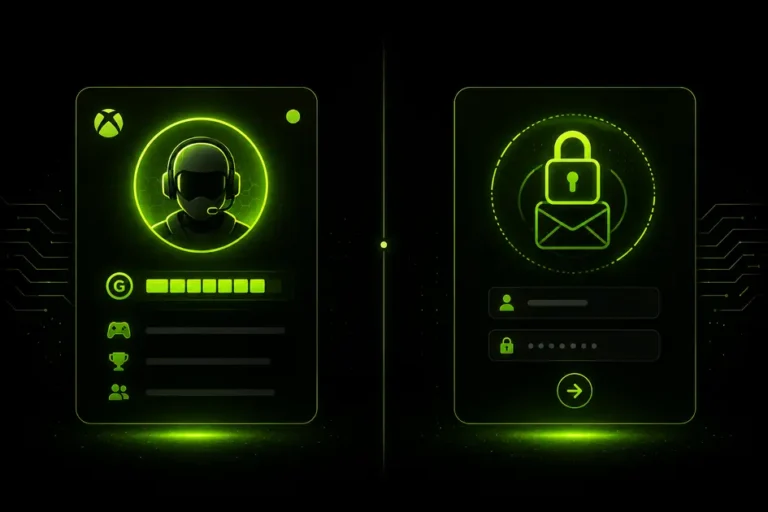
A Gamertag is the public name other players see. A Microsoft Account is the private login that sits behind it, controlling everything from Xbox to Outlook to Windows. This guide breaks down exactly how the two connect — and why a microsoft gamertag search only ever surfaces public profile data, never private account details.
Xbox Gamertag vs Microsoft Account: Quick Comparison
Here’s how the two compare side by side before we go deeper into each one.
| Feature | Xbox Gamertag | Microsoft Account |
|---|---|---|
| What it is | Public Xbox Live display name | Private sign-in used across Microsoft services |
| Visible to other players | Yes | No |
| Format | Up to 12 characters, changeable | Email address or phone number |
| Used for | Identifying you in games, parties, leaderboards | Signing into Xbox, Outlook, OneDrive, Windows |
| Can it change? | Yes — first change is free | Rarely changes; tied to the original email/phone |
| Findable via search? | Yes, through a gamertag search tool | No, private account details aren’t exposed |
This confusion usually comes from how Xbox onboarding works — the sign-in screen and the profile screen look similar enough that the two identities blur together in most people’s minds, even though the system treats them as completely separate layers.
What Is an Xbox Gamertag?
A Gamertag is the unique username tied to an Xbox profile — up to 12 characters, chosen during account setup, and changeable at any time (the first change is free, later ones carry a small fee). It’s what shows up in party chat, on leaderboards, and in every multiplayer lobby.
Behind every Gamertag sits a permanent numeric ID called the XUID, which never changes even if the Gamertag does. If you’re unsure where to find yours, our guide on how to find your Gamertag on the Xbox App walks through every method, on console, PC, and mobile.
What Is a Microsoft Account?
A Microsoft Account is the sign-in credential — an email address or phone number plus a password — that sits behind your Xbox profile. It’s not unique to gaming; the same account can sign into Outlook, OneDrive, Windows, and Xbox all at once.
When you set up an Xbox console or the Xbox app for the first time, you sign in with a Microsoft Account, and Xbox generates or lets you choose a Gamertag to attach to it. One Microsoft Account typically controls one active Xbox profile at a time, though it can be used to create or switch between different Gamertags over the account’s lifetime.
For the official breakdown of what a Microsoft Account covers, Microsoft’s own Microsoft Account support page is the authoritative source.
Common mistake: Treating your Gamertag as a login. Support forms, friend requests, and sign-in screens all ask for different things — your Gamertag identifies you publicly, but you’ll never sign into anything with it alone.
Can a Microsoft Gamertag Search Find Someone’s Account?
This is where most confusion starts. A microsoft gamertag search — using a tool like our Xbox Gamertag Finder — will show you public profile data: Gamerscore, avatar, XUID, and online status. It will never show an email address, phone number, or password, because that data sits inside the Microsoft Account layer, not the public Gamertag layer.
The same applies in reverse. There’s no legitimate way to run a microsoft account lookup by gamertag and land on someone’s sign-in email — Microsoft doesn’t expose that mapping to anyone, including Xbox Support itself. Any tool or site claiming to reveal it is either non-functional or a scam.
What a proper microsoft gamertag search can do is confirm a profile is real, check its Gamerscore, or see if it’s currently online — all without needing the Microsoft Account behind it. If you also want to double-check whether a specific name is still available before claiming it yourself, the Xbox Gamertag Availability Checker handles that separately.