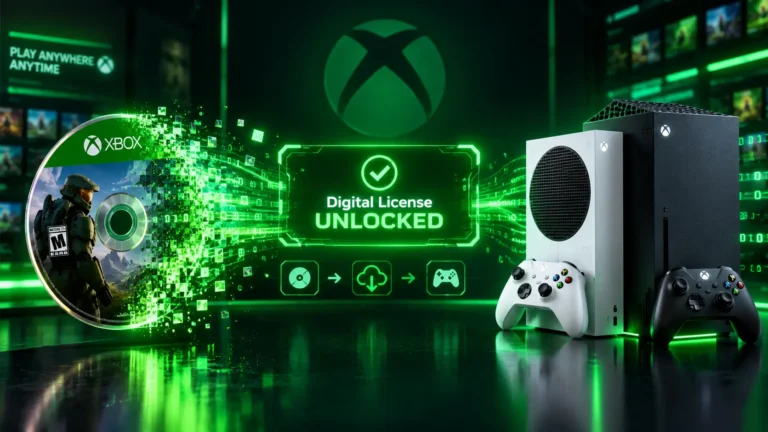
If you own a shelf of Xbox discs, xbox disc to digital is the feature you have been waiting for. It lets you insert an eligible disc and get a digital license tied to your Microsoft account, so you can play without the disc in the drive. This guide explains how it works, which games qualify, and whether it is worth using.
The details below come from rollout coverage and Xbox’s own support guidance. The supported-games list can change over time, so treat any single list as a snapshot.
Quick Answer
Xbox disc to digital gives you a digital license for an eligible Xbox One or Xbox Series X|S disc. Insert the disc into a console with a disc drive while signed in, install and launch the game, and the license attaches to your account. It went live for all players on September 29, 2026. Xbox 360 and original Xbox discs are not supported, and you need to keep the disc.
What Is Xbox Disc to Digital?
Xbox disc to digital is a licensing program that turns a supported physical game into a digital entitlement. Coverage says Xbox teased it on August 26, 2026, opened testing to Xbox Insiders on August 31, and rolled it out to everyone on September 29, as summarized in Windows Central’s rollout recap.
Before this, a disc and a digital copy were separate choices. The program lets one purchase give you both: the disc keeps working, and the digital license adds conveniences such as Xbox Play Anywhere and Xbox Cloud Gaming for games that support them.
How It Works Step by Step
The process needs no extra purchase. Here is the basic flow on your console.
- Use a console with a disc drive — sign in to your Microsoft account on an Xbox One or Xbox Series X.
- Insert an eligible disc — only Xbox One and Xbox Series X|S game discs can qualify.
- Install and launch the game — running the game after inserting the disc is what triggers the digital entitlement.
- Watch for the confirmation — a message tells you the digital entitlement has been unlocked.
- Repeat for other discs — if you are claiming many games, Xbox advises turning off “Play disc automatically” under Settings, Devices and connections, Disc, so each disc does not boot straight into its game.
Which Games Are Eligible?
Most Xbox One and Xbox Series X|S discs work, but not all of them. Xbox says some games are excluded because of developer or publisher decisions or technical factors, and the supported list may change over time.
| Disc type | Eligible? |
|---|---|
| Xbox Series X|S game discs | Most are supported |
| Xbox One game discs | Most are supported |
| Xbox 360 discs | No |
| Original Xbox discs | No |
| Individual discs excluded by publisher or technical reasons | No |
If a disc cannot be claimed, the console shows a “Disc license unavailable” message. One report says the disc’s manufacture date can matter, since not every disc was printed with support for the feature.
Ubisoft and Sega catalogs were added around the launch. A community-run tracker, XCT.live, listed more than 1,500 compatible games at the time of the rollout. Treat that third-party number as a snapshot, not an official count.
What You Get After Claiming a License
- Play without the disc — once the license is claimed, you can launch the installed game with the disc out of the drive.
- Xbox Play Anywhere — supported titles can be played on a Windows PC or a handheld such as the Xbox Ally without buying another copy.
- Xbox Cloud Gaming — eligible games can be streamed without inserting the disc into a console.
- A disc that still works — the physical disc keeps working exactly as before.
Do You Still Need the Disc?
Yes, you should keep it. You can play without the disc in the drive, but the license is associated with the disc itself.
Note: Xbox support says that if you lose, sell, give away, or otherwise no longer possess the qualifying disc, access to the associated license may be limited or revoked.
Because the license follows the disc, the program works best if you plan to keep your discs rather than resell them soon after claiming.
From Insider Test to Public Rollout
The feature started in the Xbox Insider Program on August 31, 2026. If you want to understand how early-access testing works, see our guide to the Xbox Insider Program.
Since September 29, 2026, the program has been available to all players on Xbox One and Xbox Series X|S consoles, so no Insider membership is needed.
Storage and Installs
The program does not remove the need for installed games to live on your console drive. Whether you launch from the disc or from the digital license, the game still needs space, so a large library can fill your storage quickly.
If your drive gets tight as you claim more games, our guide on how to free up Xbox storage without deleting your games covers practical fixes.
Is Disc to Digital Worth Using?
For most disc owners, yes. It needs no extra purchase and adds options without taking any away. The main trade-off is that you must hold on to the disc.
It is a good fit if:
- You own many Xbox One or Series X|S discs — one claim per disc builds a digital library from games you already paid for.
- You play on PC or a handheld — Play Anywhere titles become available there without a second purchase.
- You dislike swapping discs — you can launch installed games without the disc in the drive.
Think twice if:
- You plan to sell discs soon — selling a disc may limit or revoke the license.
- Your collection is mostly Xbox 360 games — those discs are not supported.
- You need guaranteed results for every disc — eligibility varies by game and disc.
Some coverage also describes the program as a bridge between physical ownership and digital convenience as Xbox’s hardware evolves. For the bigger picture, read what we know so far about Xbox Project Helix.
Frequently Asked Questions
Sorting out your Xbox library and friends list? Look up any gamertag’s profile in seconds.
While you sort out your library, you can also browse our free Xbox tools.